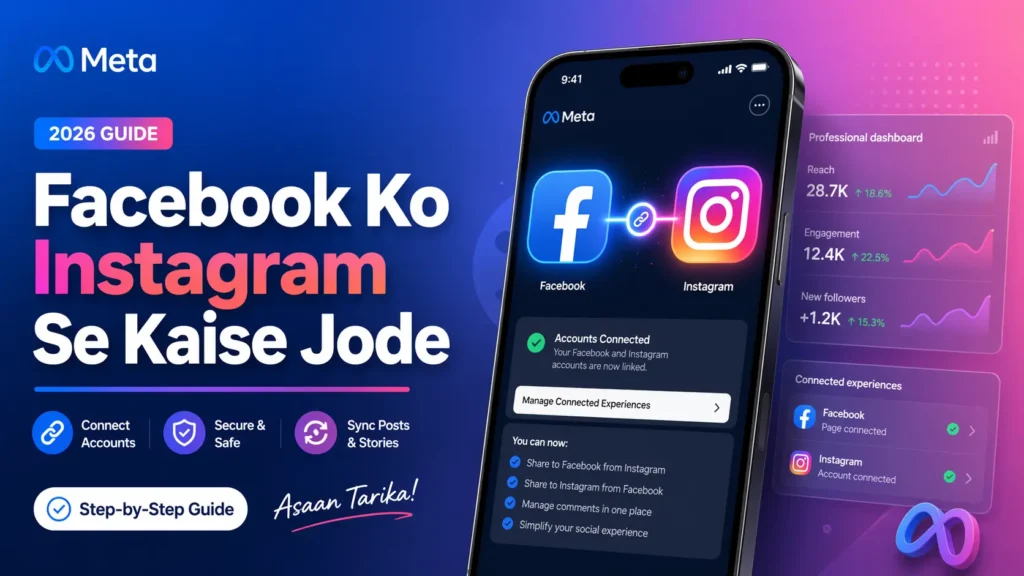
If you are searching for “facebook ko instagram se kaise jode”, you are probably trying to make your social life simpler, save time, and keep both platforms working together smoothly. In 2026, Meta still manages this linking mainly through Accounts Center, where you can add Facebook and Instagram together and control connected experiences like cross-posting, sign-in, and account settings. For users in India, the process is mostly the same on Android and iPhone, so you do not need any special regional setup to begin.
When people ask “facebook ko instagram se kaise jode”, they usually mean one of three things: linking a Facebook profile with an Instagram account, connecting Instagram to a Facebook Page for creator or business use, or enabling cross-posting so one post can be shared more easily across both apps. Meta’s help material makes a clear distinction between general account linking in Accounts Center and Page-level linking for professional tools, so it helps to know your goal before you start.
The easiest answer to “facebook ko instagram se kaise jode” is this: open Instagram, go to your profile, tap the menu in the top right, open Accounts Center, and then choose the option to add accounts if your Facebook account is not already there. Once both accounts are inside the same Accounts Center, Meta allows you to manage connected experiences such as shared login and content sharing settings from one place. This is the most up-to-date route mentioned across Meta’s current help resources.
A practical step-by-step method for “facebook ko instagram se kaise jode” on mobile is simple. First, update both Facebook and Instagram apps. Second, log in to the correct accounts you actually want to connect. Third, open Instagram and go to Accounts Center. Fourth, tap Add more accounts or Manage accounts and select your Facebook account. Fifth, confirm permissions and review any prompts for cross-posting or login settings. This usually takes only a few minutes if you already remember your passwords.
Many users in India search “facebook ko instagram se kaise jode” because they want automatic sharing. Once the accounts are linked, Meta says you can manage connected experiences such as sharing posts, stories, or reels across your accounts. That means you can choose whether Instagram content should also appear on Facebook, which is especially useful for creators, shop owners, local businesses, and personal brands who do not want to upload the same content twice every day.
For creators asking “facebook ko instagram se kaise jode” for professional growth, there is another important layer: linking your Instagram account with a Facebook Page. Meta’s help says connecting a Facebook Page and Instagram can unlock tools such as appointment booking buttons, donation stickers, camera effects, and message or comment management in Page inbox tools. This can be very useful if you are running a business, a creator page, a local service brand, or a content channel in India.

One important 2026 detail about “facebook ko instagram se kaise jode” is that Meta’s help indicates sharing posts from a personal Instagram account to a Facebook Page is no longer available. The current cross-posting flow to a Facebook Page is aimed at creator or business profiles, where you go to Instagram’s professional settings and then into Crossposting or Accounts Center. So if your setup is not working, check first whether your Instagram account is personal or professional.
If your goal behind “facebook ko instagram se kaise jode” is just convenience, you may appreciate that Accounts Center also supports easier logins across connected accounts. Meta explains that when accounts are in the same Accounts Center, you may be able to use one account to log in to another connected account more easily. For everyday users, this can reduce the headache of forgotten passwords and repeated sign-ins, especially if you switch phones or reinstall apps.
Another reason people search “facebook ko instagram se kaise jode” is to save time during posting. Imagine you upload a reel on Instagram and want it visible on Facebook too, without starting from zero. That is exactly why Meta built connected experiences inside Accounts Center. It is optional, and Meta has also said such connected experiences can be turned on or off, so you stay in control rather than being forced into automatic sharing.
If you try “facebook ko instagram se kaise jode” and it fails, the most common reasons are very normal: you are logged into the wrong Facebook account, your Instagram profile type does not match your goal, app permissions were denied, or you are trying to connect a personal Instagram account where a professional one is needed. In some cases, disconnecting the accounts and reconnecting them through Accounts Center solves the issue. Meta’s help also confirms that accounts can be added or removed from Accounts Center when needed.
From an SEO and digital growth point of view, “facebook ko instagram se kaise jode” matters because linked accounts can make your posting workflow cleaner and your brand presence more consistent. When your audience sees the same identity, profile information, and content flow across both Facebook and Instagram, trust builds faster. For Indian creators and businesses working in English, Hindi, or Hinglish, that consistency can help you stay active on both platforms without doubling your effort every single day. Meta’s professional linking tools are clearly designed with this kind of efficiency in mind.
Conclusion: Facebook ko instagram se kaise jode?
So, if you still wonder “facebook ko instagram se kaise jode”, the best 2026 answer is: use Accounts Center for general linking, and use professional settings/Page connection if you want business or creator features. Start by checking which accounts you are logged into, decide whether you need a personal or professional setup, and then turn on only the connected experiences you actually want. Keep it simple, stay intentional, and your Facebook and Instagram will work together much more smoothly.
Facebook ko instagram se kaise jode FAQ?
1. facebook ko instagram se kaise jode on mobile?
To connect facebook ko instagram se kaise jode on mobile, open Instagram, go to your profile, tap the menu, open Accounts Center, and add your Facebook account from there.
2. facebook ko instagram se kaise jode for auto sharing?
For facebook ko instagram se kaise jode with auto sharing, first link both accounts in Accounts Center, then enable sharing for posts, reels, or stories.
3. facebook ko instagram se kaise jode to a Facebook Page?
If you want facebook ko instagram se kaise jode to a Facebook Page, you may need a professional Instagram account for Page-level tools and cross-posting options.